Headlines News :

Latest Post

Showing posts with label Android Market. Show all posts

Dropsync v2.3.4 + Dropsync PRO Key v2.3

Written By Unknown on Monday, October 1, 2012 | 3:00 AM

Requirements: Android 2.0+

Overview: Rock-solid, battery efficient, full two-way(!) sync client for Dropbox.

Keep your phone/tablet and your Dropbox in sync at all times. Rock-solid, battery efficient, full two-way(!) sync client for Dropbox.

"Just like the desktop version of Dropbox, Dropsync supports true two-way data synchronization." --New York Times

"Take a picture on your phone and watch as it’s already waiting for you on your laptop when you get home." --phandroid .com

"I bought 5 other apps like this one, but this is the only one that didn't crash while synchronizing my large Photo & Video folder" --One satisfied user

"Must have app. Now my phone - computer - tablet are one!" --Another satisfied user

FEATURES INCLUDE

* Full two-way sync. Just like Dropbox on desktop

* Instant upload: new files (for example photos) are uploaded to Dropbox immediately, no need to wait for the next autosync cycle

* Very efficient, consumes almost no battery if there is no change detected and will not slow down your phone either

* Very easy to set up. Once set up files will be kept in sync without any effort from users

* Works reliably under ever changing network conditions on your phone

* Monitors battery level, WiFi/3G/4G/WiMax connectivity and adapts its behavior according to user preferences

* Configurable autosync interval: 15 minutes, 30 minutes, every hour,...

* Tasker/Locale plugin to allow power users to define sophisticated sync schedules and conditions

* Compact code size, memory efficient, no fancy graphics, no useless animation. We have enough bloatware. Do one thing and do it best

Beware that there are many apps out there on the Market which claim doing sync but in fact what they do is one-way upload or download.

Dropsync provides the essential feature, two-way sync, which should be in the official Dropbox for Android since the beginning. For whatever reason it wasn't and still isn't. Now you have it.

If you are a serious Dropbox user and want more flexibility, please consider upgrading to PRO version.

PRO FEATURES INCLUDE

* Sync multiple folders

* Sync the whole Dropbox with a folder on your phone or tablet

* Upload files larger than 5 MB

* No ads, of course

We are proud of delivering great technical support, to all users, free and paying. If you run into any problem or have questions/suggestions, don't hesitate to contact us via email at dropsync@ttxapps.com. You can do so from within the app itself, just go to Settings -> Support.

What's new in this version:

Version 2.3.4

* Fixed a weird crash on Nook devices

* Fix: instant upload does not work 100% on some devices

* Warn users about potential issues with trailing spaces in Dropbox folder names

* Couple of small robustness improvements

play:


Code:

https://play.google.com/store/apps/details?id=com.ttxapps.dropsync


Download:

http://www.directmirror.com/files/OLYRHAQD

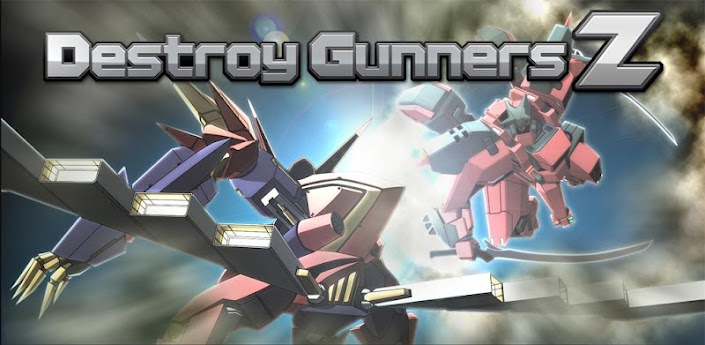
Destroy Gunners Z v2.1.0

Destroy Gunners Z v2.1.0
Requirements: Android 2.2+
Overview: This is the newest "Destroy Gunners Series".

The newest game in the highly popular "Destroy Gunners"


series of 3D action shooting games,

with over 2,800,000 downloads worldwide.

Nurture bonds with your comrades and fight for survival!

Use many different weapons with your mech.

Challenge missions, smash enemies and tackle huge bosses.

Intuitive touch controls make the game easy to enjoy.

This game also introduces a strategic map, allowing

players to capture territory and expand their area of

influence.

The game blends action and strategy for a new kind of

gameplay.

Also,introducing long-awaited social networking service

components.

Players can assign their registered friends' mechs as

wingman.

Your friends' mechs can go with and help you on special

missions such as boss

battles, and can even give you special parts.

This cooperation makes capturing territory more

exciting!

[Note]

・In order to play Destroy Gunners Z, you will need to

 log into GREE. Registration is free.

・This game needs to connect to the server.

 The first load may take a little while.

[SYSTEM REQUIREMENTS]

・Required OS: over Android 2.2(2.3recommended)

・Required Resolution: Over 800×480 pixel+

This game has NO advertisements

More Info:


Code:

https://play.google.com/store/apps/details?id=jp.shade.DGunsZ&feature=more_from_developer


Download Instructions:
http://ul.to/zl096xnz
http://turbobit.net/wu6jjiro98cx.html
http://depositfiles.com/files/cg3vmz547

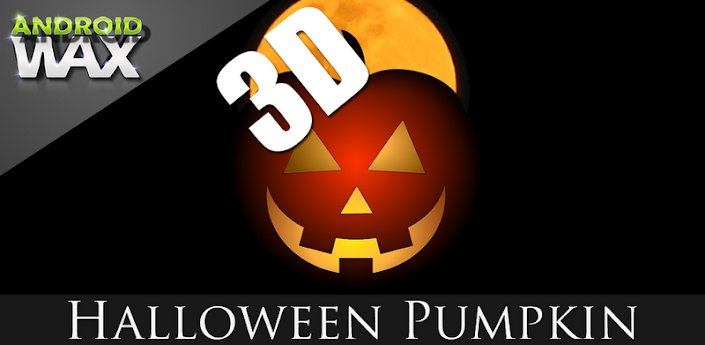
3D Halloween Pumpkin Wallpaper v3.0 Android

3D Halloween Pumpkin Wallpaper v3.0
Requirements: Android 2.2+
Overview: 3D Halloween Pumpkin Live Wallpaper exclusively for android devices.

3D HALLOWEEN PUMPKIN

*New from ANDROID WAX*

★ We promise smooth animation and the best Halloween live wallpaper you will find.

★Visit our mobile website to make your phone shine★

Press here --> http://www.androidwax.com <--

Halloween is almost here! Check out our Halloween live wallpapers listed below if you truly want your device to stand out. Our ratings speak for itself.

Torment

Hellfire

House of Terror

Fire Glow

Fallen Angels

3D Halloween Pumpkin

Get full version for only $1.99

Get into the Halloween spirit with our 3D Halloween live wallpaper with color changing pumpkins exclusively for android devices. A true 3D Halloween pumpkin scene with many color customizations for pumpkins, candles, and landscapes. Runs on all high and low end devices using the latest in OpenGL technolgy for smooth animation and life like scenes. Battery consumption is not a problem because 3D Halloween Pumpkin is designed to run with very little cpu power and low battery consumption. Comes with true to life candle flicker that you have to see to believe.

★ Original artwork

★ Bright Vivid colors

★ Open GL

★ Home screen scrolling supported

★ HDMI supported (HD Televisions)

★ Landscape mode supported

★ Many backgrounds

★ Many preference options

★ Low file size

★ Minimum battery usage

Android Wax (Make Your Device Shine)
http://www.androidwax.com

We have the best live wallpapers and the best free live wallpapers on Google Play

Makes an awesome Halloween live wallpaper, pumpkin, candles, and flame theme.

This App has NO advertisements

More Info:


Code:

https://play.google.com/store/apps/details?id=org.androidwax.realpumpkin


Download Instructions:
http://turbobit.net/ifk1spcr34kk.html
http://depositfiles.com/files/hiv4ep9i0

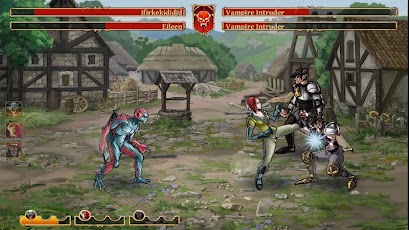
Clash of the Damned v1.0.3695

Written By Unknown on Saturday, September 29, 2012 | 9:00 PM

Clash of the Damned v1.0.3695
Requirements: 1.5 and up
Overview: Get medieval on your foes in an online role-playing game.

Casual multiplayer RPG telling a story of two rival races fighting each other to death!


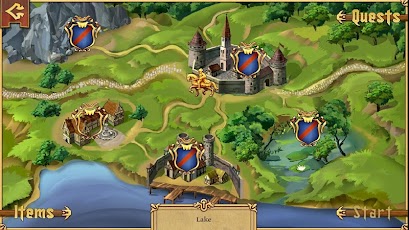
Two ancient kingdoms are going through hard times of war, poverty and uncertainty. You know the drill: if you want something done, you’ve got to do it yourself. Travel around the kingdom, fight for justice and get medieval on your foes!

CHOOSE YOUR SIDE

Time to decide where you belong: merciless and cruel Vampires or fierce and ghastly Werewolves? Choose your race with tons of unique equipment and lead your people to the victory!

UNRAVEL THE STORY OF THE KINGDOM

Start your journey in the middle of nowhere, with a ruined mansion as your only possession, soon to find yourself in the middle of an epic battle for the survival of your race!

FIGHT YOUR RIVALS ONLINE

Challenge other players on the Online Arena, invade their Lands, capture their Resources and complete Daily Tournaments to claim your legendary status of the Best Fighter in the Kingdom!

PICK FROM VAST ARSENAL

Discover weapons, potions, armors and tons of other useful stuff to help you with your quest. Choose from dozens of different perks and customize your appearance to create your unique character!

More Info:


Code:

https://play.google.com/store/apps/details?id=com.creativemobile.cod


Download Instructions:
http://depositfiles.com/files/r61pf444y
http://ul.to/d99hwmhy
http://turbobit.net/z3ioeobew07c.html
http://rapidgator.net/file/47120327/

SD:sdcard/
http://depositfiles.com/files/o1ptzkq6a
http://uploaded.net/file/a6j9mm38
http://rapidgator.net/file/47111470/

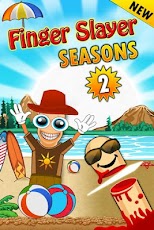
Finger Slayer Seasons 2 v1.0

Finger Slayer Seasons 2 v1.0
Requirements: Android 1.6 or higher
Overview: The Super Hit Smart Phone Game with New Exciting Gameplay & Theme!

***** The Super Hit Smart Phone Game with New Exciting Gameplay & Theme! *****

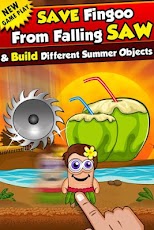
Finger Slayer is one of the most thrilling and fun reaction time game for Android. Test your reaction time by saving Fingoo from the continuously moving Sharp Saw. Finger Slayer Seasons 2 is a brand new fun edition to the Finger Slayer series. Play this fun exciting new mode in Seasons 2 today, see how your reaction time is!

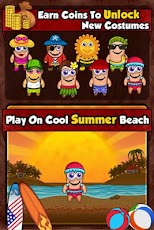
The objective is to drag your finger on the screen, save FINGOO from the dangerous moving SAW which moves in different speeds while completing the puzzle image placed in the background. Be sure to collect as many coins as possible for more fun and points. Remember you have to collect all the pieces of the puzzle to complete the jigsaw.


[break]

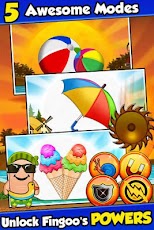
* 5 Exciting Modes:

1) Balls

2) Coconut

3) Umbrella

4) Coconut Tree

5) Ice Cream

Unlock powers and shields by completing levels and collecting coins. Select your favorite character from different cute Fingoo characters, choose powers and select shields to make the game more interesting and exciting. Play this fun, free, and exciting game today and test your reaction time!

More Info:


Code:

https://play.google.com/store/apps/details?id=com.rvappstudios.fsseasons2&feature=search_result#?t=W251bGwsMSwxLDEsImNvbS5ydmFwcHN0dWRpb3MuZnNzZWFzb25zMiJd


Download Instructions:
http://www.filecloud.ws/q28lz7dfam5h

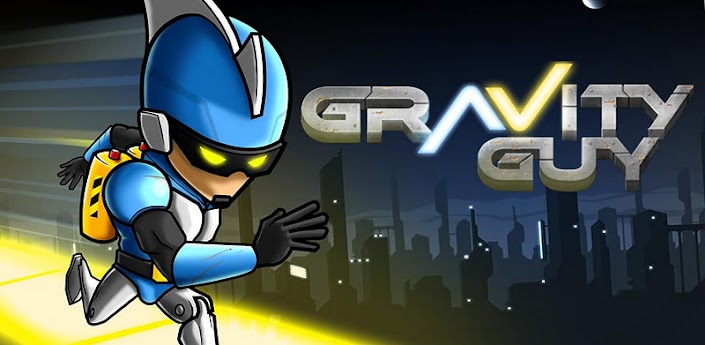
Gravity Guy v1.4.3

★ Multiplayer mode up to 4 players

★ Two game modes Story and PracticeIn a world where gravity laws were broken, a brave guy, was held captive for defying the rules. Not happy, he decided to escape, being the first one to run for his life flipping gravity at will.

Being chased by Gravity troops, Gravity Guy can't stop, he has to keep running and it's your job to guide him through an impossible world of mazes, flipping gravity when needed.

This fast paced and frustratingly addictive adventure features 30 challenging levels, and 3 different worlds, and guarantees you many long hours of fun!

What's in this version : (Updated : Sep 26, 2012)

New Gravity Guy update is out!

Support to JellyBean

Minor bug fixing

Required Android O/S : 2.1+

Release By chathu

play:


Code:

https://play.google.com/store/apps/details?id=com.miniclip.gravityguypaid


Download:

http://www.directmirror.com/files/0SGA8EFK

One More Clock Widget v1.3.6

Spruce up your homescreen with 60+ fun, expressive clock widgets!

60+ dynamic clock widgets for your homescreen, ad free.

Battery - Time - Weather!

The full version of OMC supports 8 widget sizes:

4x4, 4x2, 4x1, 3x3, 3x1, 2x2, 2x1 and 1x3.

Can be set to launch any app via widget click.

All widgets editable on the phone and via JSON.

Tested to work with WidgetLocker.

What's in this version : (Updated : Sep 28, 2012)

NOAA weather provider for US areas only.

7Timer weather provider for global areas.

New Clocks (Firmament & Iris).

Per-second updates allows more dynamic effects for

certain clocks.

Clock Priority (under Troubleshooting Options) allows

fine control over batt life/clock lag balance.

Required Android O/S : 1.6+

play:


Code:

https://play.google.com/store/apps/details?id=com.sunnykwong.omc&feature=search_result#?t=W251bGwsMSwxLDEsImNvbS5zdW5ueWt3b25nLm9tYyJd


Download:

http://www.directmirror.com/files/1SONBM2I

Minimalistic Text (donate) v2.11.7.5

Minimalistic Text (donate) v2.11.7.5
Requirements: Android v2.1+
Overview: Minimalistic Text is a widget app that displays information in a minimalistic way.

It can be configured to display time, date, battery and weather information. The layout of the widget is highly customizable through the layout editor.


Minimalistic Text is a widget app that displays information in a minimalistic way.

It can be configured to display time, date, battery and weather information. The layout of the widget is highly customizable through the layout editor.

Minimalistic Text is heavily inspired by BattStat and Clockr but adds extreme flexibility.

Supported languages:

* English

* Danish

* German

* Greek

* Dutch

* Polish

* Norwegian

* French

* Croatian

* Serbian

* Czech

* Spanish

* Estonian

* Italian

* Portuguese

* Hungarian

* Russian

* Swedish

* Simplified Chinese

* Traditional Chinese

* Slovak

* Afrikaans

* Slovenian

Explanations for the permission requests:

** android.permission.VIBRATE **

used in the layout editor to give feedback that an item has been dragged

** android.permission.ACCESS_COARSE_LOCATION **

used by the weather service to get your coarse location and retrieve the weather for it

** android.permission.ACCESS_NETWORK_STATE **

needed to determine if the weather data can be fetched

** android.permission.INTERNET **

needed to actually retrieve the weather data and to get the name of the location you are

** android.permission.RECEIVE_BOOT_COMPLETED **

needed to be able to wait until the phone booted before initializing

** android.permission.WRITE_EXTERNAL_STORAGE **

to gain access to your SD card and save the preferences to it

** android.permission.GET_TASKS **

used to determine if the home screen is currently active. This is used by the automatic rendering option

** android.permission.CHANGE_COMPONENT_ENABLED_STATE **

To enable / disable widget sizes

** android.permission.ACCESS_WIFI_STATE **

To support WiFi variables

** android.permission.READ_CALENDAR **

To support calendar events

** com.android.vending.BILLING **

To support In-App donation

>>Donate App<<

If you have the donate app installed then you will get early access to new features.

To get the donate app search for "Minimalistic Text (donate)" in the market or at android pit.

If you have any problems, write me an email!

APP2SD (especially hacks) is a very very bad idea for a widget. It has a reason that Minimalistic Text doesn't offer this feature! The home screen get's loaded before the SD card is mounted. Keep this in mind!

Please don't use the comments for feature requests or bugs. You can write me an email (develmil@googlemail.com). (Of course you still can rate lower due to bugs or missing features)

Tasker integration:

1) add a Locale variable to your layout and set the variable name (click it)

2) in Tasker select Plugins -> Minimalistic Text for an action

3) Click "Edit", a new activity starts

4) enter the name of the variable and the text that should be displayed for this variable (you can use Tasker variables)

done

Keywords

minimal, minimalistic, text, battery, weather, date, style, home screen, widget

Wiki: wiki.devmil.de

Recent changes:

2.11.7.5

- removed Google weather as it is broken;

2.11

- added underline support;

- added In-App donation;

- updated translations;

- improved calendar resource usage;

- Day suffix fixed;

- drastically improved Layout Editor performance for ICS devices;

- added next alarm (for donators);

- Roman numbers (for donators);

- Screen-Off-Updates (donators for now);

- Fixes a Tasker update problem;

- Data usage variables (donators for now).

Less description »

Latest version: 2.11.7.5 ()

Note: Not need key file. all donate features available.

More Info:


Code:

https://play.google.com/store/apps/details?id=de.devmil.minimaltext


Download Instructions:
http://ul.to/6b07ovkm

Mirror:
http://turbobit.net/at5g39cjqcwo.html
http://rapidgator.net/file/46878361

Barcode Scanner+ (Plus) 1.8


Code:

https://play.google.com/store/apps/details?id=com.srowen.bs.android


Enhanced version of the popular, free Barcode Scanner application.

* Not working on your device? It's a camera driver bug. Where workarounds are possible they are released rapidly. Send in logs using aLogcat. The previous .apk is always available. *

Barcode Scanner+, from Sean Owen of ZXing Team, uses the camera on your device to read barcodes of all kinds. After scanning barcodes you find on products, for example, you can discover prices and reviews for it. Or, when scanning newer two-dimensional barcodes, like QR Codes, you can access contact information, bookmarks, web site links and more inside.

Barcode Scanner+ is an enhanced version of the popular, free Barcode Scanner application, which is a product of the ZXing open-source barcode scanning library from Google. Barcode Scanner+ is based on the same code, and has been developed by one of the two primary authors of the original Barcode Scanner, Sean Owen.

Barcode Scanner+ includes all of Barcode Scanner's functionality, and is intended as a drop-in replacement for Barcode Scanner. It adds several enhancements:

Better barcode scanning

- New image processing algorithm for detection of 1D barcode formats, including UPC and EAN product codes

- Uses both cores of dual-core processors

- Optionally, scan for Aztec and PDF417 barcodes (note: PDF417 support is 'alpha' quality)

- Rewritten to take advantage of Java 6, Android 2.2+ APIs, and latest Android SDK features

Refined user interface

- Now scan in tall "portrait" orientation, in addition to "landscape" orientation

- More intuitive pattern-based scanning guide

- Streamlined and improved user interface elements

- Android 4 and tablet device support

- Expanded Help screens

New features

- Decode a barcode from an image file

- Option to scan light-on-dark barcodes

- Activate device's LED light to scan in low light

- Basic support for scanning NFC tags

Also available in "simple" version, without functionality that requires special permission. See "Barcode Scanner+ Simple".

Purchasing this application also supports development of the ZXing open-source barcode scanning library.

Barcode Scanner+ does not collect, store or transmit information about its users, nor usage of the application. The application accesses personal information such as contacts and bookmarks only in order to implement application functionality, such as sharing contacts and bookmarks by QR Codes on screen.

(aka Barcode Scanner Plus)

What's in this version:

Camera image stabilization is now enabled on devices that support it.

Camera metering and focusing are optimized on device that support it.

Consider to support the developers if you like the app!
https://hotfile.com/dl/174219109/82e2270/.zip.html
http://depositfiles.com/files/3xaki954f
http://uplly.com/fdfrnn3y8ngl

WP7 Plus GO Locker Theme v1.01

WP7 Plus GO Locker Theme v1.01
Requirements: Android 2.0 and up
Overview: You have 10 different colors to switch to replace your shortcut box. Every day, you can switch the color to suit your mood


Features:

1、WP7 Plus GO Launcher Ex supporting themes.

2、You have 10 different colors to switch to replace your shortcut box. Every day, you can switch the color to suit your mood. V1.01 Increase the definition of background.

3、By default, the music controls.

Installation instructions:

1. Make sure GO Launcher EX V2.58 or above and GO Locker v1.05 has been installed;

2. Click Menu>Plugins>GO Locker, choose a theme you like and apply it to your phone.

More Info:


Code:

https://play.google.com/store/apps/details?id=com.jiubang.goscreenlock.theme.win7


Download:
http://rapidgator.net/file/46787588/...v1.01.zip.html
http://extabit.com/file/2du5yf3xu05o8

Space GO LauncherEX Theme v1.0

Space GO LauncherEX Theme v1.0
Requirements: Android 2.0 and up
Overview: GO launcher theme is only available for phones with GO Launcher EX installed.


***How to Apply the Theme

1. Directly open the theme after successful installation.

2. or back to Menu>Theme, choose a theme you like and apply it to your phone.

***How to Change Wallpaper

Click Menu>Wallpaper, and select the wallpaper you like.

***How to Change App Icons

(Some devices might not automatically apply the icons)

Long press some app icon>Replace>Theme’s icon, and then choose the icon you like.

More Info:


Code:

https://play.google.com/store/apps/details?id=com.gau.go.launcherex.theme.jesvy


Download:
http://rapidgator.net/file/46787257/..._v1.0.apk.html
http://extabit.com/file/2du5yf3xqw4w8

Bead GO LauncherEX Theme v1.0

Bead GO LauncherEX Theme v1.0
Requirements: Android 2.0 and up
Overview: Dark gray business style, concise, capable, specifically for business people a clear and elegant theme.


Strong recognition and convenient interactive function, make people easily stick out a mile, human-computer interaction, give you fresh experience!

Features:

- over 30 icons

- with 5 wallpaper

- New folder interface

- Special app drawer looks

If you like this theme, Please give us the score in the market!check out our other themes. Click on "More from the developer" or search for Freedom Design here in the market.

Notice:

GO launcher theme is only available for phones with GO Launcher EX installed.

Search “GO Launcher EX” on Google Play Shop and install it for free.

***How to Apply the Theme

1. Directly open the theme after successful installation.

2. or back to Menu>Theme, choose a theme you like and apply it to your phone.

***How to Change Wallpaper

Click Menu>Wallpaper, and select the wallpaper you like.

***How to Change App Icons

(Some devices might not automatically apply the icons)

Long press some app icon>Replace>Theme’s icon, and then choose the icon you like.

More Info:


Code:

https://play.google.com/store/apps/details?id=com.gau.go.launcherex.theme.Bead


Download:
http://ul.to/z7a78bng
http://rapidgator.net/file/46787262/..._v1.0.apk.html
http://extabit.com/file/2du5yf3xqw4qw

Labyrinth 2 v1.23

Written By Unknown on Friday, September 28, 2012 | 3:00 PM

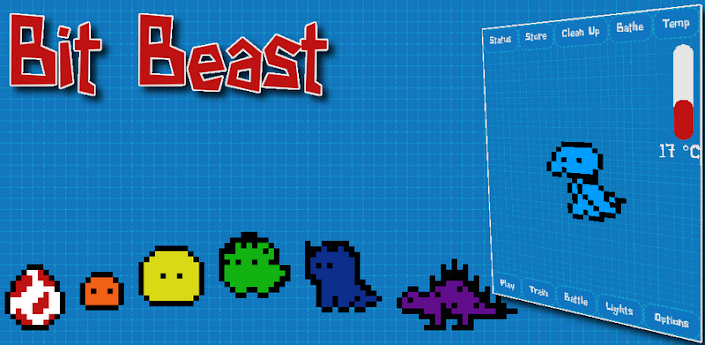
Bit Beast v1.0.5

Bit Beast v1.0.5
Requirements: Android 2.2 and 1mb free space
Overview: Bit Beast is a virtual pet inspired by the great toys from the 90s, such as Tamagotchi and Digimon. You raise and care for your Bit Beast by feeding him, cleaning him, giving him medicine when he is sick, playing with him, and so on.

As your Bit Beast grows up, he will evolve into different forms. There are several different evolutionary branches that your Bit Beast can move along, and what he becomes is dependent on how well you raise him. Pay special attention to what kind of food you feed him!

* You can pet your Bit Beast (and interact with the rest of the UI) using the touchscreen if you have one. If not, you can use your trackball or dpad to navigate.

* You can tap the screen when on the main view to activate speech recognition, and give your Bit Beast commands, praise, or scolding.

* You can shake your device to earn bits (this one uses the accelerometer).

* You can turn on your GPS and earn bits based on either speed or distance traveled.

* You can connect to another Bit Beast on another device via Bluetooth and battle them!

More Info:


Code:

https://play.google.com/store/apps/details?id=org.cheeseandbacon.bitbeast


Download Instructions: Download, install and play!
http://speedy.sh/xVVPF/bitbeast-v1.0.5.apk

Boat Browser Mini (AdFree) v3.9

Boat Browser Mini (AdFree) v3.9
Requirements: Android v2.1+
Overview: Boat Browser Mini is a fast, simple and pretty web browser, which will bring you better user experience on Android.


Boat Browser Mini is a fast, simple and pretty web browser, which will bring you better user experience on Android.
- UI is simple, clean and easy to use
- Speed dial homepage, which can be replaced by yourself homepage
- Quick to start up, quick to load and render pages
- Support different themes
- Support multi-tab in gallery
- Multi-touch Pinch Zoom
- Support creating shortcut for web page to home screen
- Support full screen option in menu
- Easy to add bookmarks
- Animation effects when operation
- Can hide Zoom in/Zoom out buttons in settings
- Support dominant WAP website
- Support Adobe Flash Player on Android 2.2 above
- Support download manager
- Super easy Gingerbread style copy/paste
- Support App to SD function
- Support Cache to SD function
- Support multi-language, including English, Chinese, German, Russian, Spanish, French, Korean, Swedish and Japanese
- Add volume key control setting for switching tabs, scrolling up/down page and zooming page
- Add Incognito mode (private browsing)

keywords: browser ,mobile browser, web browser

Please feel free to give us your feedback, your suggestion will be very helpful to us.
email: boatbrowser@gmail.com.

Recent changes:
V3.9 update:
1. Support adding bookmark in titlebar.
2. Hide toolbar when soft keyboard showing.
3. Performance improvement.
4. Fix some bugs.
Less description »

Latest version: 3.9 (, supports App2SD)

This app has no advertisement

More Info:


Code:


https://market.android.com/details?id=com.boatgo.browser


Download Instructions:
http://ul.to/44345no4

Mirror:
http://turbobit.net/4d7oduep25ht.html
http://rapidgator.net/file/46563681

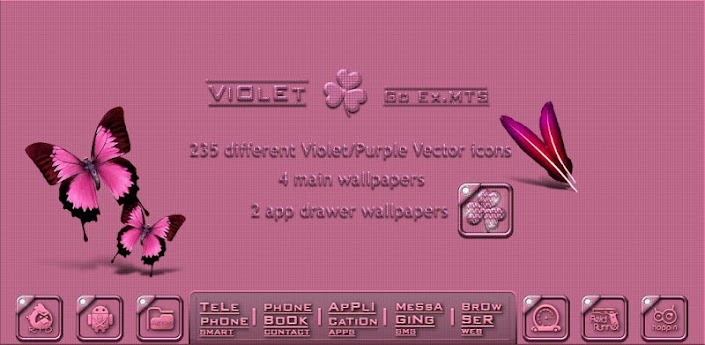
Violet Go Launcher EX theme v1.1

Violet Go Launcher EX theme v1.1
Requirements: 2.0 and up
Overview: It's Violer/Purple Go launcher theme


[break]

- 235 Violet(Purple)Vector icons

- 4 main wallpapers

- 2 app drawer wallpapers

- clock widjet (is not include theme)

How to use...

1. Search "Go launcher EX" and download and install

2. Install this theme

3. Run Go Laucher EX

4. Menu> preferences> theme preferences> choose

a this theme

This app has no advertisements

More Info:


Code:

https://play.google.com/store/apps/details?id=com.multi.go.launcherex.theme.violet


Download Instructions:
http://ul.to/gzx1riou

mirror:
http://rapidgator.net/file/46414038/...e_1.1.apk.html
http://www.filedownloads.org/uemqw62...e_1.1.apk.html

GO_Launcher_Theme – Wood v1.1

GO_Launcher_Theme - Wood v1.1
Requirements: 2.0+
Overview: GO_Launcher_Theme - Wood

- Caution

If you users of previous versions.

First, please back up the previous version.

Because, the default icon has been changed.


[break]

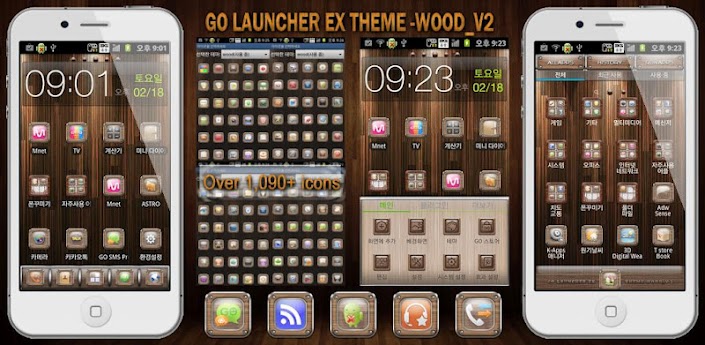
This supply the most icons(More than 1,090) and App activities(More than 1,760) in existence. When you apply theme, There are many icons automatically changed, So it reduces user's burden of changing icons.

Please contact us by e-mail, If you want any other icon and improvement. We support additional services such as updating etc.(sojunsoju@gmail.com)

1. Features of theme.

1) More than 1,090 of pre-fabricated theme-only icons.

2) Connected with more than 1,760 of App activities.

3) More than 1,050 of automatically change icons.

4) 10 kinds of wallpaper.

5) 3 kinds of dock image.

6) 6 kinds of App drawer wallpaper.

2. Reference (Icons and Activities in GO_Launcher_EX theme)

- Are there many Icons connected with application activities in this theme?

Yes, when users apply theme, there are many icons automatically changed, so it reduces user's burden of changing icons themselves.

- Why are there so many Icons in GO_Launcher_EX theme?

Because it supplies various icons to users who want to change it.

- If there are many icons on this theme, Doesn't it overload the system?

No. After installed, theme just recognize registered icons, So it doesn't overload the system.

3. Install GO_Launcher_EX as default screen.

1) First, install the latest version of GO_Launcher_EX. It is totally free.

2) To set GO_Launcher_EX as default screen.

a) After GO_Launcher_EX installed, click the Home button, and default launcher pop-up comes on.

b) Check the "Use by default for this action" > Select the GO_Launcher_EX, and GO_Launcher_EX will be set as default launcher.

4. How to use GO_Launcher_EX

1) Features of theme : If you apply this theme, then wallpapers, icons, dock images, app drawer wallpapers, etc. will be applied.

2) To apply theme : Install the GO_Launcher_EX, Click GO_Launcher_EX home screen > Menu > themes > Select this theme.

3) Changing wallpaper : GO_Launcher_EX home screen > Menu > wallpaper > Go wallpaper > Select this theme's wallpaper.

4) Changing dock image : GO_Launcher_EX home screen > Menu > Preferences > Visual settings > Backgrounds > Dock background > GO Theme background > Select this theme's dock image.

5) Changing App drawer wallpaper : GO_Launcher_EX home screen > Menu > Preferences > Visual settings > Backgrounds > App drawer background > GO Theme background > Select this theme's app drawer wallpaper.

6) Effects setting : GO_Launcher_EX home screen > Menu > Preferences > Effects > Select the effects you want.

7) Action settings : GO_Launcher_EX home screen > Menu > Preferences > Operation Settings > Select the action you want.

This app has no advertisements

More Info:


Code:

https://play.google.com/store/apps/details?id=com.sojunsoju.go.launcherex.theme.wood


Download Instructions:
http://ul.to/vbbdpwsc

mirror:
http://rapidgator.net/file/46424280/...d_1.1.apk.html
http://www.filedownloads.org/ohffta7...d_1.1.apk.html

Universe HD Wallpapers v1.0

Universe HD Wallpapers v1.0
Requirements: Android 1.6+
Overview: View Universe HD Wallpapers

Feature:

- View Universe HD Wallpapers

- Not require registration and login

- Offline collection

- No Ads

This app has NO advertisements

More Info:


Code:

www.mixrelease.com


Download Instructions:
http://ul.to/02ebd40s

App Backup &amp; Restore v2.0.4 Android

Written By Unknown on Thursday, September 27, 2012 | 3:00 PM

App Backup & Restore v2.0.4
Requirements: Android 1.6+
Overview: Backup & restore apps for android device

App Backup & Restore is used to backup and restore apps for android.

Features:

- Backup apps to SD card

- Batch backup

- Backup market link for protected apps

- Restore apps from SD card

- Batch restore

- Quick uninstalling

- Sort apps by name, install date, size

- Auto backup on install

- Show storage usage

- Multi version backup

- Search app from Google market

- Send apk file by email

- Share market link

- Support App2SD

*** Notice: App Backup cannot backup data or settings of apps for you, but it only backup the apk files.

FAQ:

-----

Q: Why can't I restore apps?

A: Go to "System Settings"->"Applications", enable the "Unknown sources" setting, then you can restore apps from SD card.

Q: Does it backup data of apps?

A: No, currently it only backup the apk files of apps.

Q: How can I send the archived app to drop box?

A: It requires the dropbox already installed in your phone, click "Archived" Tab, long click on the app that you want to send, then click "Dorpbox".

Q: What are "Protected" apps?

A: "Protected" means that the apps are protected by "Copy Protection", and the apk file of them cannot be copied to SD card. On backup, the market links of them will be saved for restoring.

Q: How to check all un-archived or un-installed apps?

A: Click on the checkbox in the left bottom.

***Any question, please send feedback to us by clicking "menu"->"feedback" in the app***

***************************

INFOLIFE, Make Life Easier!

***************************

To help us translate thiss app to your native language, please sign up in http://crowdin.net/project/app-backup-restore

thank you very much

What's new in this version:

-v2.0.4

#Fix DROID RAZR failed to backup bug

-v2.0.3

#Save sort state

#Send debug info after failure

#Hide search bar in settings

-v2.0.2

#Check all un-installed apps

#Check all un-archived apps

#Clear cache & refresh in settings

(Click the check all button in the left bottom to check all un-archived apps)

-v2.0.1

#Fix FC bug

(We are very sorry about the FC bug!)

-v2.0.0

#New UI

#Removable storage check

#Fix some bugs

-Recommend app nag screen removed by Unexampled Orion

This app has NO advertisements

More Info:


Code:

https://play.google.com/store/apps/details?id=mobi.infolife.appbackup


Download Instructions:
http://www66.zippyshare.com/v/77101492/file.html

lgCamera v6.5 beta5

lgCamera v6.5 beta5
Requirements: Android v2.1+
Overview: Additional camera for Android phones with Android 2.1 and higher. It can handle recording quality and file formats.

Additional camera for Android phones with Android 2.1 and higher. It can handle recording quality and file formats.

Features:

-Zoom control by Volume control buttons.

-Autoshutter can be activated by long press onScreenShutter button.

-Camera parameters control (white balance, color effects, flash modes, focus modes, ISO and etc.)

-Video quality control ( resolution, encoder, format mp4 or 3gp, bitrate, framerate).

-Audio quality control (encoder, sampling eate, bitrate).

Warning! Not all features may work on some devices.

Email me if you want to help to localize to your native language.

Free version limitations:

-sometimes program shows BUYME dialog.

-program icon with red label FREE.

Recent changes:

- added a slider for the Zoom;

- the try to restore the functionality over the long tap.

Latest version: 6.5 beta5 (for Android version 2.1 and higher, supports App2SD)

This app has no advertisements

More Info:


Code:

https://play.google.com/store/apps/details?id=rubberbigpepper.lgCamera


Download Instructions:
http://ul.to/3b48wc21

Mirror:
http://turbobit.net/w5j76mtny5ts.html
http://rapidgator.net/file/46221514

 
Copyright © 2011. Android Games Apk Files - Droidappsapk.blogspot.com - All Rights Reserved
Proudly powered by Blogger